


Introduction: What If Your Business Could Work Even When You’re Not Working?
Imagine starting your morning, opening your laptop, and discovering that several important business tasks have already been completed.
New customer inquiries have been organized. Potential customers have been added to your lead list. Routine emails have received draft responses. Important documents have been summarized, and your daily business report is waiting in your inbox.
You didn’t hire another employee. You didn’t spend the entire night working. And you didn’t write hundreds of lines of complicated code.
So, how did it happen?
The answer is an AI-powered business automation system.
Business owners have always looked for ways to save time, reduce operating costs, and get more work done with fewer resources. Traditionally, automation required developers, expensive software, and complicated technical setups. But things are changing quickly.
Modern no-code platforms now allow people to connect different applications, introduce artificial intelligence into everyday processes, and create automated workflows through visual interfaces.
Even someone without a programming background can start building useful automation systems.
But here’s something important: simply connecting a few AI tools doesn’t automatically create a smart business.
The real advantage comes from building a system where different tools communicate, understand information, follow instructions, and complete specific tasks with minimal human involvement.
In this guide, we’ll explore exactly how that works, which tools are worth considering, and how to build your first practical automation workflow from scratch.
By the end, you’ll understand how to create an automation system that can support customer communication, marketing, sales, administration, and everyday business operations.
And perhaps the most interesting part? You don’t need to be a developer to get started.
1. What Is an AI-Powered Business Automation System?
An AI-powered business automation system is a collection of connected applications, automation workflows, and artificial intelligence tools that work together to handle repetitive business activities.
Think of it as a digital assistant that follows your business processes.
For example, imagine someone submits a contact form on your website.
Without automation, you might need to:
- Open your website dashboard.
- Read the customer’s message.
- Copy their information.
- Add their details to a spreadsheet.
- Decide which department should handle the inquiry.
- Write a response.
- Send a notification to the appropriate team member.
Now imagine completing these steps automatically.
A properly configured workflow can detect the new submission, extract the relevant information, use AI to understand the customer’s request, organize the lead, and prepare a suitable response.
You only need to review the result or handle the conversation when necessary.
That’s the basic idea behind an AI-powered business automation system.
Traditional Automation vs. AI Automation
Traditional automation follows predefined instructions. AI automation introduces additional capabilities that help software interpret information and handle tasks that require some level of judgment.
| Traditional Automation | AI-Powered Automation |
|---|---|
| Follows fixed rules | Can interpret unstructured information |
| Moves data between applications | Can extract and summarize information |
| Uses predefined conditions | Can classify messages and requests |
| Performs repetitive actions | Can draft personalized responses |
| Requires clearly defined inputs | Can work with different types of content |
For example, traditional automation can send a confirmation email whenever someone completes a form.
AI automation can go further by reading the message, identifying the customer’s actual needs, preparing a relevant response, and routing the inquiry to the correct team.
However, AI can make mistakes. Important decisions should still involve appropriate rules, validation, and human review.
Why Are Businesses Interested in AI Automation?
The biggest attraction is not simply using artificial intelligence. It’s reducing the amount of manual work required to keep a business running.
Consider a small online store.
Every day, it might receive product questions, delivery requests, order updates, refund inquiries, and customer feedback.
Handling every message manually takes time. As the number of customers increases, the workload increases too.
An intelligent automation workflow can organize incoming messages, identify common questions, retrieve relevant information, and prepare responses for review.
This doesn’t mean every customer interaction should be handled by a machine. It means employees can spend less time repeating the same tasks and more time solving problems that actually need human attention.
That is where automation becomes valuable.
2. How Does an AI Business Automation System Actually Work?
Before choosing any software, it’s important to understand how the different parts of an automation system communicate.
A typical workflow has five main components.
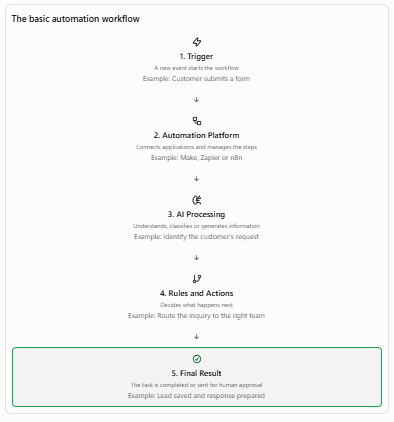
Let’s understand each component.
Step 1: Trigger — Something Happens
Every automation begins with an event.
This event is called a trigger.
Some common examples include:
- A customer submits a website form.
- Someone sends an email.
- A new order is received.
- A spreadsheet gets updated.
- A calendar event is created.
- A customer sends a support message.
The trigger tells the automation platform that something needs to happen.
Step 2: Automation Platform — Connect Everything
The automation platform acts as the central coordinator.
It connects your website, email, spreadsheets, customer management software, AI services, and other business applications.
Instead of opening each application separately, you create a workflow that moves information between them.
Step 3: AI Processing — Make Information Understandable
This is where artificial intelligence adds value.
An AI model can:
- Read customer messages.
- Identify important information.
- Summarize long documents.
- Categorize incoming requests.
- Generate email drafts.
- Extract information from invoices.
- Translate or rewrite text.
For instance, an AI model can identify whether an incoming message is about pricing, technical support, delivery, or a refund.
Step 4: Rules and Actions — Decide What Happens Next
After processing the information, the workflow follows specific instructions.
For example:
- If the message is about pricing, send it to the sales team.
- If it concerns technical support, create a support ticket.
- If it is a general question, prepare a standard response.
- If the message contains sensitive information, request human review.
Step 5: Final Result — Complete the Process
Finally, the workflow performs the required action.
It might update a spreadsheet, create a customer record, send a notification, prepare an email, or request approval.
A good system also records what happened and alerts someone if a step fails.
The important thing to remember is that AI doesn’t need to control everything. Fixed rules are often more reliable for predictable actions, while AI is useful for tasks that involve understanding information.
3. Best No-Code AI Automation Tools to Build Your System
Now comes the interesting part.
You don’t need to purchase ten different applications or subscribe to every AI service available. A small collection of carefully selected tools can handle a surprising number of business activities.
The key is choosing tools based on what you actually want to automate.
Here are some platforms worth exploring.
1. Zapier — Best for Connecting Business Applications

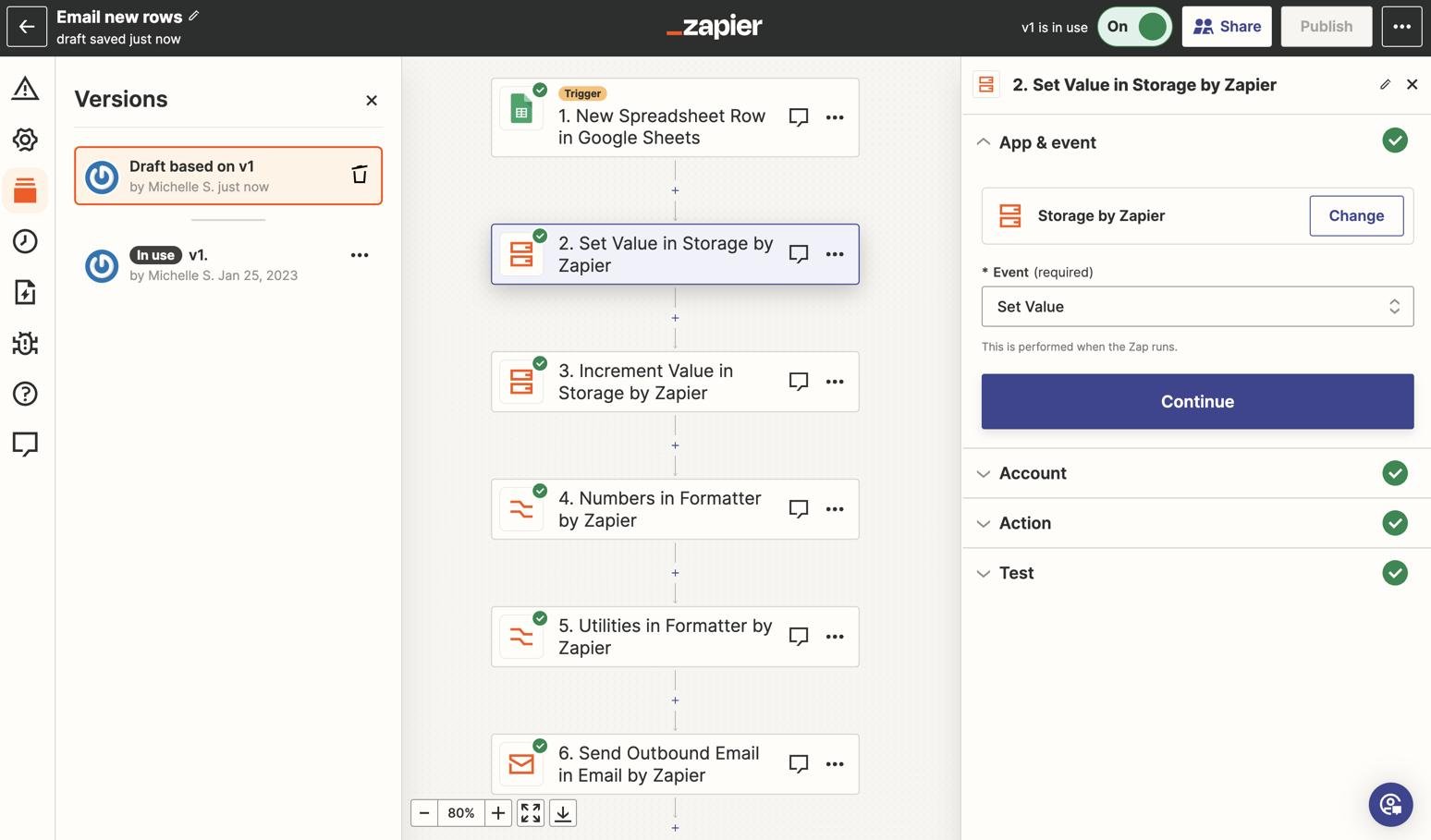
If you’re completely new to automation, Zapier is a useful place to begin.
It connects different applications and allows you to create automated workflows without manually transferring information between them.
For example, you can create a workflow where:
- A customer submits a website form.
- Zapier captures the submission.
- An AI step analyzes the message.
- The customer’s details are added to a spreadsheet or CRM.
- A notification is sent to your team.
Zapier is particularly useful when you want to connect common business applications without building a complicated technical system.
Its platform also includes AI-related automation capabilities, agents, and chatbot products. Its integration ecosystem is extensive.
Best for: Beginners, freelancers, marketing teams, and businesses that use multiple cloud applications.
2. Make — Best for Visual Workflow Design

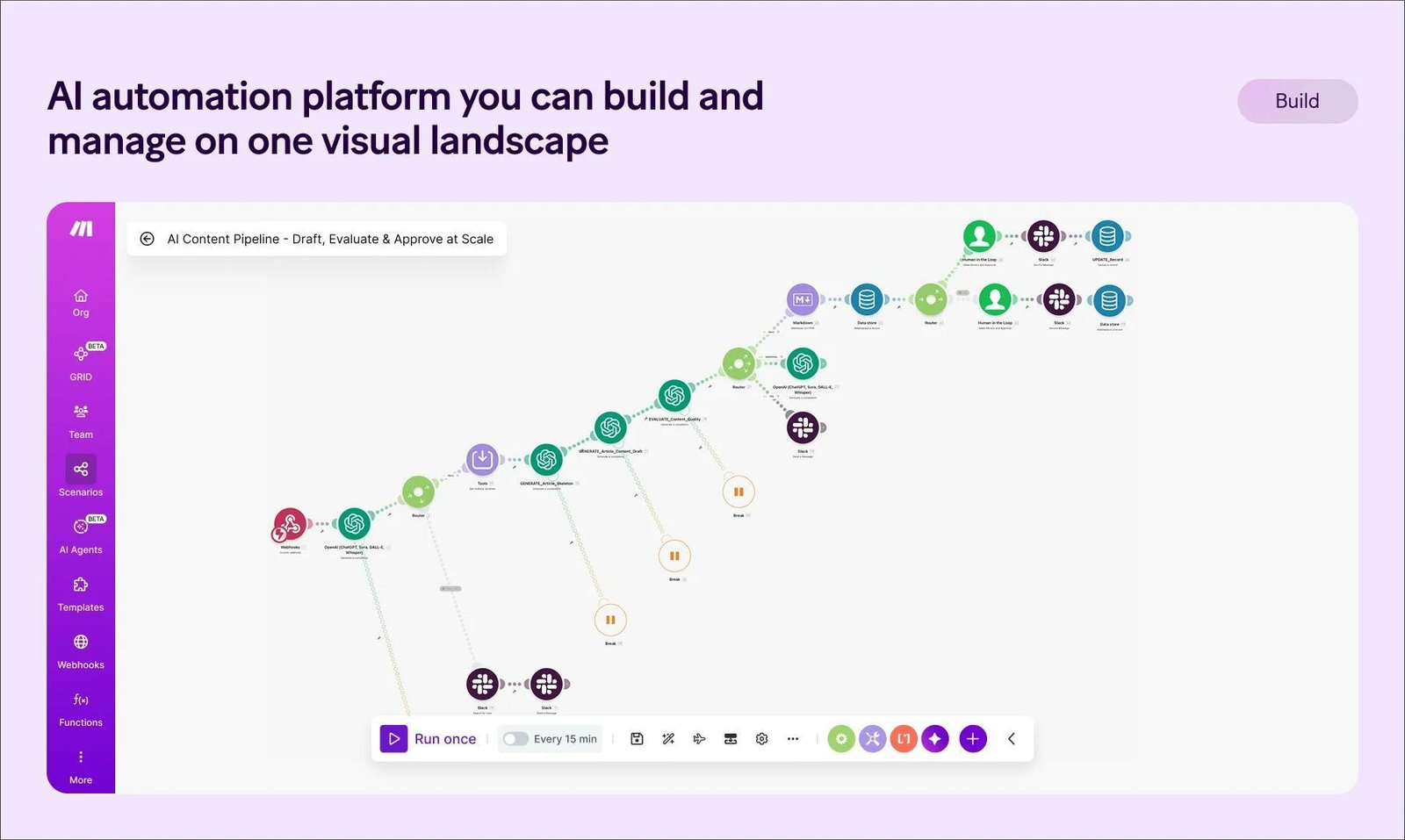
Make is another popular platform for creating automated workflows.
What makes it interesting is its visual scenario builder.
Instead of looking at a long list of instructions, you can see how information moves between applications through connected modules.
For example, imagine you operate an online business and receive orders throughout the day.
You could design a workflow that:
1. Detects a new order.
2. Collects the order details.
3. Uses AI to categorize customer requests.
4. Updates your business records.
5. Sends a notification to the appropriate person.
You can also introduce filters, conditions, and different paths depending on the information received.
This makes Make useful for workflows that involve multiple steps and different outcomes.
Best for: Visual thinkers, small businesses, marketing automation, and multi-step workflows.
3. n8n — Best for Flexible AI Workflows

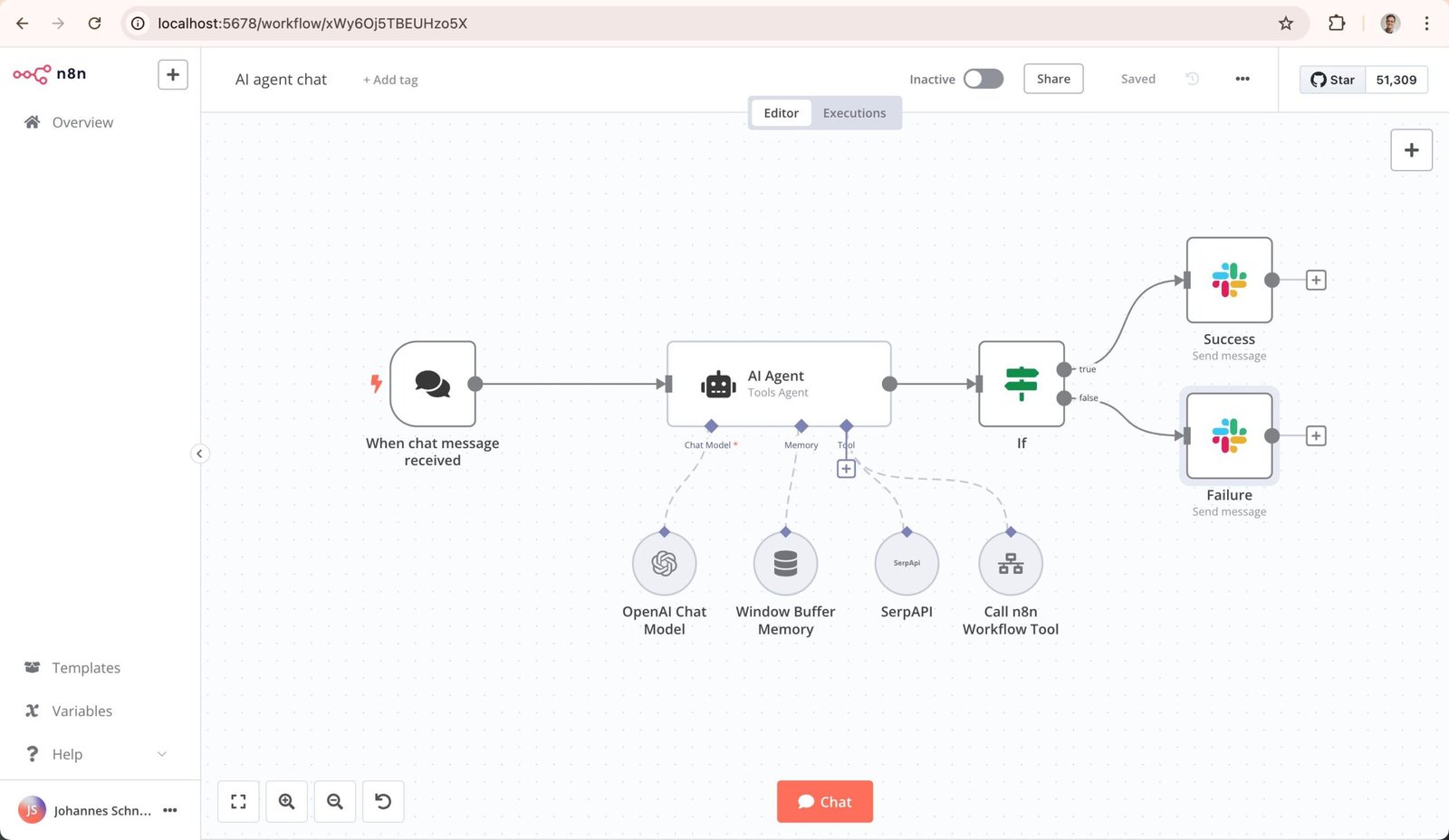
If you want more control over your automation system, n8n deserves serious attention.
It combines workflow automation with AI capabilities and allows users to connect applications, APIs, and AI models.
You can build workflows visually and introduce more advanced customization when needed.
For example, you could create an AI-powered customer support workflow that:
- Receives incoming messages.
- Retrieves relevant information from your knowledge base.
- Uses an AI model to understand the question.
- Prepares an appropriate answer.
- Sends complex requests to a human support representative.
One interesting advantage is that n8n supports both predefined workflows and AI agents. You can use fixed steps for predictable operations and AI reasoning where decisions require interpretation.
Best for: Growing businesses, advanced automation projects, technical beginners willing to learn, and teams that want greater control.
4. ChatGPT — Best for AI-Powered Thinking and Content Tasks

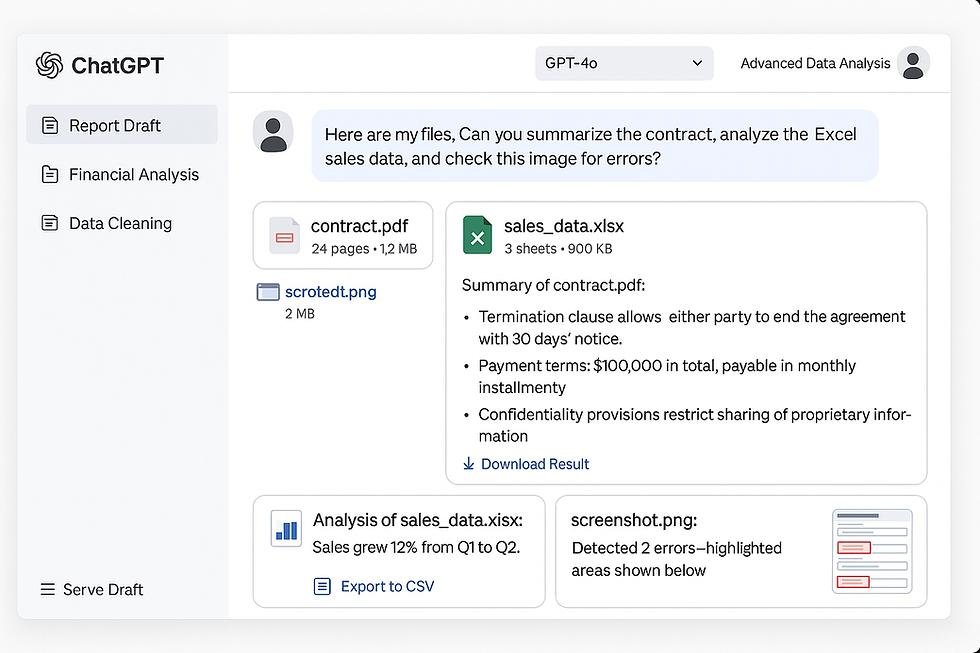
An automation platform connects applications, but an AI model can help those applications understand and process information.
ChatGPT can support tasks such as:
- Writing email drafts.
- Summarizing customer feedback.
- Categorizing business inquiries.
- Creating product descriptions.
- Extracting important details from text.
- Generating reports and content ideas.
For example, you can introduce an AI processing step into a workflow so that incoming customer messages are summarized and classified before they reach your team.
Depending on the integration, this may use an available connector, an API, or another supported connection method.
Best for: Content creation, communication, information processing, and AI-assisted workflows.
5. Google Sheets — Best for Organizing Automated Business Data


You don’t always need expensive CRM software to organize business information.
Google Sheets can serve as a simple starting point for storing customer inquiries, tracking leads, monitoring tasks, and maintaining business records.
When connected to an automation platform, information can be added or updated automatically.
For example, every new website inquiry could create a row containing the customer’s name, email address, request category, and follow-up status.
Best for: Small teams, lead tracking, reporting, and basic business data management.
Which Tool Should You Choose?
Which Tool Should You Choose?
| Tool | Main Strength | Ideal Starting Point |
|---|---|---|
| Zapier | App connections | Beginners |
| Make | Visual workflows | Multi-step automation |
| n8n | Flexible AI workflows | Advanced projects |
| ChatGPT | AI processing | Content and analysis |
| Google Sheets | Data organization | Business records |
You don’t need all five tools.
Start with one automation platform, one AI service, and one place to store your information. Add other tools only when a real business requirement demands them.
4. How to Build Your First AI Automation System Without Coding
Now let’s move from theory to practice.
Instead of creating a complicated system with dozens of integrations, we’ll build something useful: an automated customer inquiry management workflow.
This example is suitable for a service business, online store, agency, consultancy, or freelancer.
Imagine someone visits your website and submits a form asking about your services.
Normally, you would need to read the message, organize the information, decide what to do next, and prepare a response.
Let’s automate much of that process.
Step 1: Choose One Business Problem
Before opening an automation platform, identify a repetitive task that consumes your time.
Ask yourself:
- What task do I perform repeatedly?
- Which applications do I use to complete it?
- What information do I need?
- What should happen when the task is completed?
- Which decisions require a human?
For our example, the problem is simple:
Customer inquiries arrive through a website, but organizing and responding to them takes too much manual work.
Our goal is to create a workflow that receives inquiries, understands their purpose, stores their details, and prepares a response for approval.
Starting with one clear problem makes the entire process easier.
Step 2: Select Your Automation Platform
For this example, let’s use Make or n8n.
Both can connect applications and organize multi-step workflows.
Create an account, open the visual workflow builder, and start a new scenario or workflow.
You should now have a workspace where you can connect different automation steps.
Don’t worry if the interface looks complicated at first. You only need to understand a few basic concepts:
- Trigger: What starts the workflow?
- Action: What should happen next?
- Condition: Which path should the workflow follow?
- AI step: What information should the AI understand or generate?
Once you understand these four concepts, building basic workflows becomes much easier.
Step 3: Connect Your Website Form
Your website form will be the starting point.
You can use a supported form integration, webhook, or another available connection method.
When a visitor submits the form, the workflow should receive information such as:
- Customer name.
- Email address.
- Service or product of interest.
- Customer message.
- Submission date.
For example:
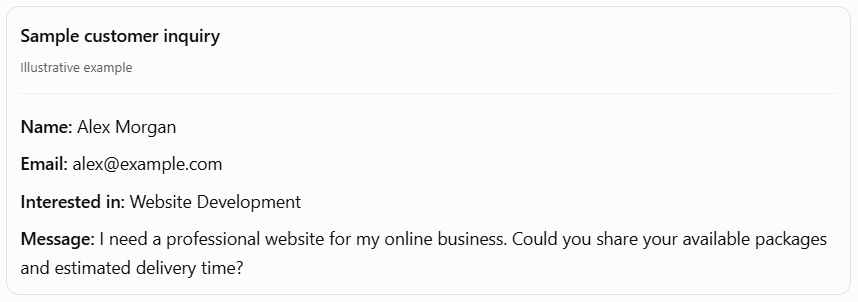
Your automation platform receives this information and passes the message to the next step.
Make sure the form collects only the information you genuinely need.
Step 4: Add an AI Processing Step
This is where your workflow becomes more intelligent.
Connect an AI service that can process the customer’s message.
You can provide clear instructions telling the AI what information to extract and how to categorize the inquiry.
For example, use a prompt like this:
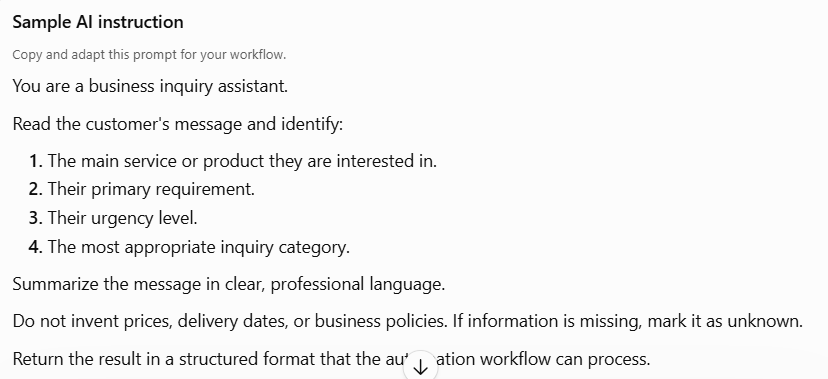 The AI might return something like:
- Category: Website Development.
- Requirement: Professional business website.
- Urgency: Normal.
- Summary: Customer wants information about website packages and delivery time.
This information can now be used by other steps in your workflow.
Step 5: Store Customer Information Automatically
After the AI processes the message, connect Google Sheets or your preferred CRM.
| Field | Information |
|---|---|
| Customer Name | Alex Morgan |
| alex@example.com | |
| Interest | Website Development |
| Category | Sales Inquiry |
| Priority | Normal |
| Status | Awaiting Review |
Configure the workflow to add a new record whenever a customer submits a form.
This means you no longer need to manually copy every inquiry into a spreadsheet.
You can also create separate records for different inquiry categories if your business needs more advanced organization.
Step 6: Generate a Personalized Email Draft
Now let’s introduce another useful AI feature.
After saving the customer’s information, ask the AI to prepare a professional response.
For example:
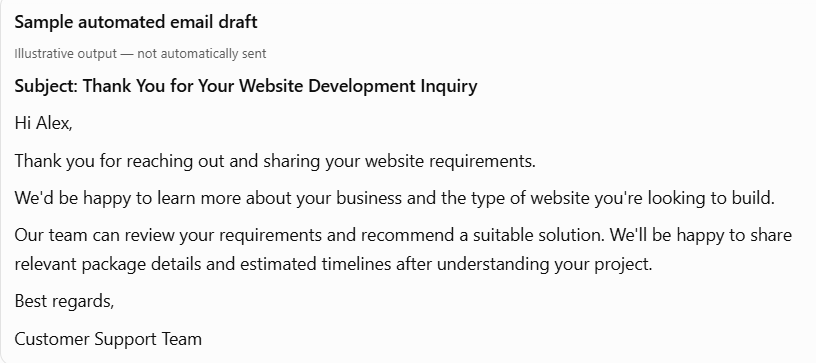
Notice something important: the AI doesn’t invent a package price or promise a delivery date.
It prepares a helpful draft using the available information.
You can then send the email manually or configure automatic sending for low-risk, predefined messages after thorough testing.
For quotations, refunds, legal commitments, and sensitive customer issues, keep human approval in the workflow.
Step 7: Send a Notification to Your Team
The final step is notifying the appropriate person.
Your automation platform can send a message through a supported email, messaging, or team collaboration integration.
For example:
New Customer Inquiry Received!
- Customer: Alex Morgan
- Service: Website Development
- Priority: Normal
- Status: Awaiting Review
The team can now review the inquiry and decide what to do next.
Your first customer inquiry automation is ready.
Step 8: Test the Entire Workflow
Don’t activate an automation system for real customers before testing it.
Submit several sample forms using different messages.
Check whether:
- Customer details are captured correctly.
- AI categories are accurate.
- Information is saved in the correct columns.
- Email drafts are relevant.
- Notifications reach the right person.
- Duplicate submissions are handled appropriately.
- Failed steps generate an alert.
Also test incomplete forms, unusual messages, unexpected characters, and requests that require human attention.
A workflow that works once isn’t necessarily a reliable workflow.
Test it repeatedly before relying on it.
5. 7 Business Tasks You Can Automate Using AI
Once you’ve built your first workflow, you’ll probably start noticing opportunities to automate other parts of your business.
The best approach is to look for tasks that happen repeatedly and follow a reasonably clear process.
Here are seven practical examples.
1. Customer Support and Inquiry Management

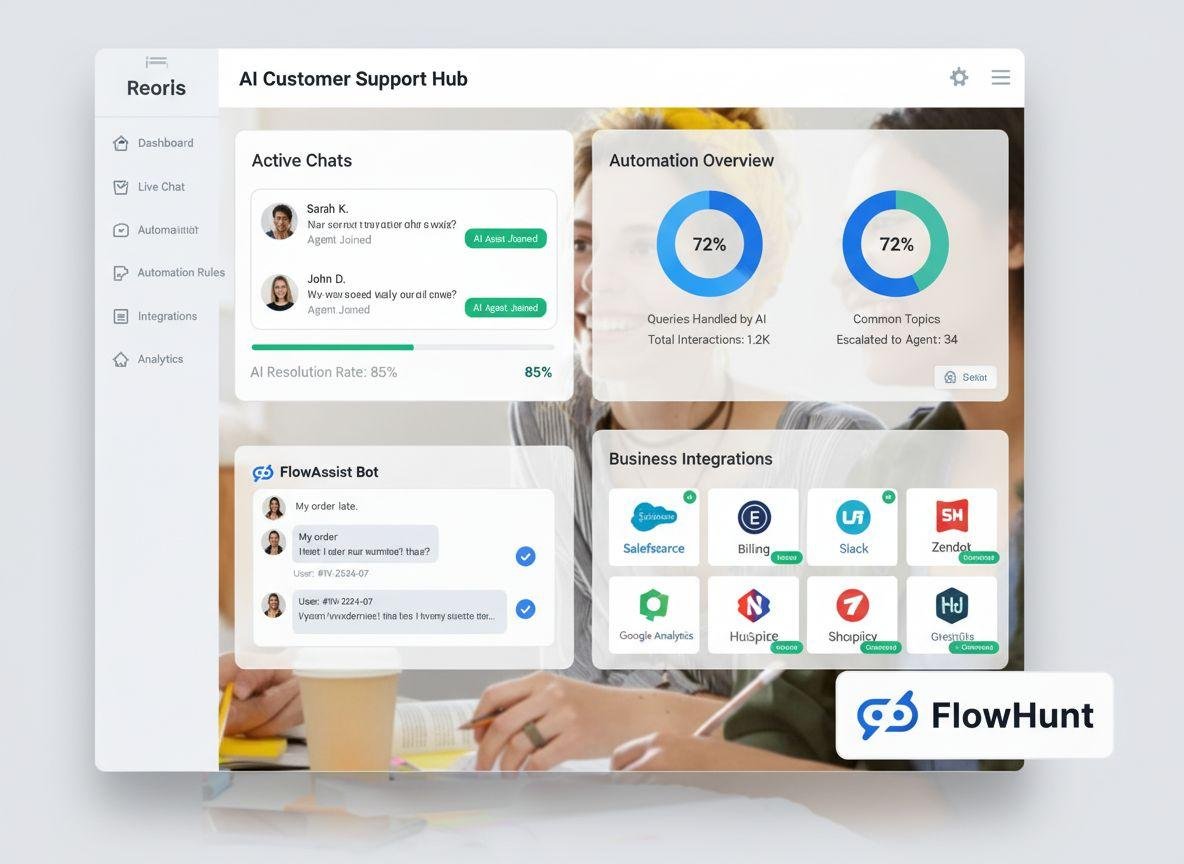
Customer support is one of the most useful areas for automation.
An AI workflow can read incoming messages, identify common questions, retrieve answers from approved business information, and prepare responses.
For example, an online store might receive dozens of questions about:
- Product availability.
- Shipping information.
- Order tracking.
- Return policies.
- Payment methods.
Instead of manually organizing every message, automation can categorize requests and route them to the right department.
However, complaints, refunds, and complicated customer problems should have an appropriate human escalation process.
2. Lead Generation and Sales Management

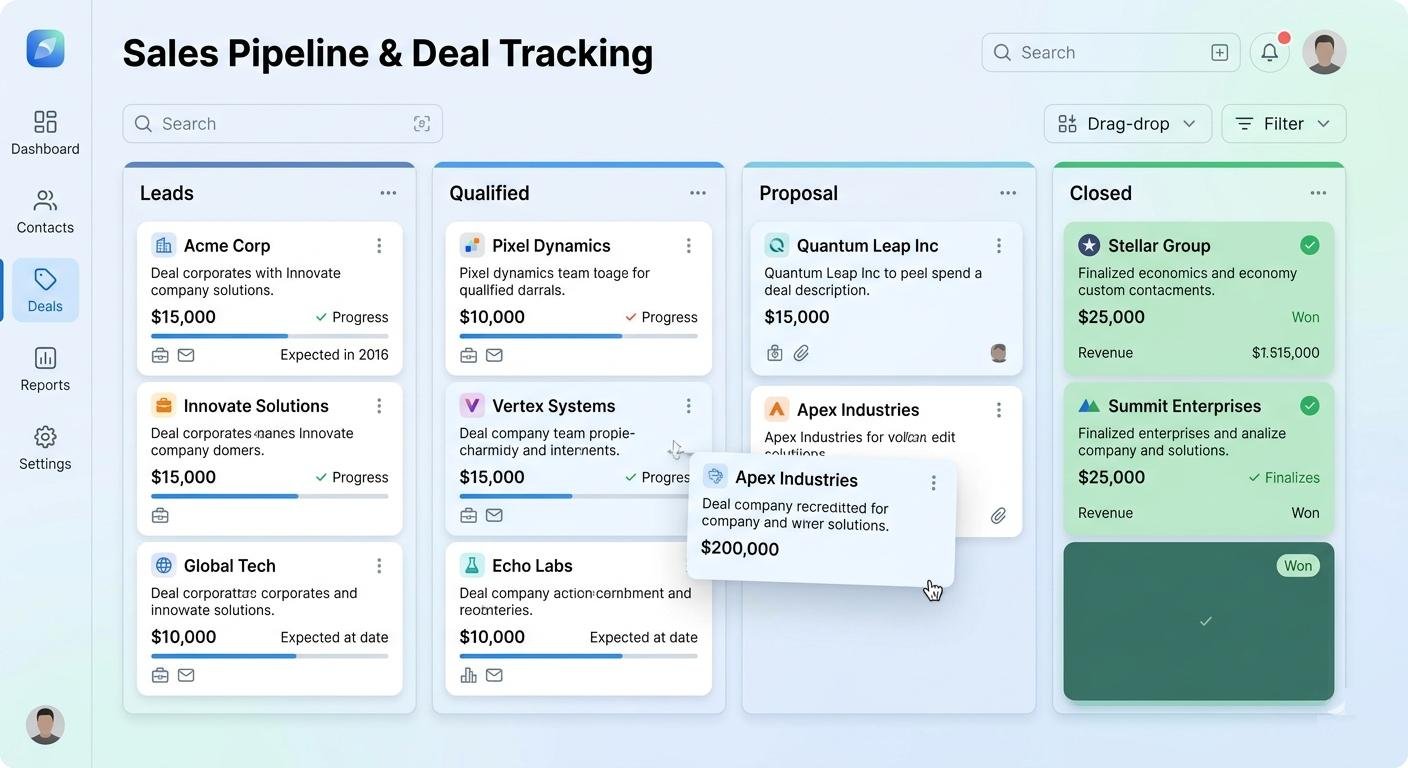
Finding potential customers is only one part of sales.
Businesses also need to organize leads, understand customer requirements, and follow up at the right time.
An automation workflow can collect leads from website forms, categorize them using AI, add them to a CRM, and notify the sales team.
It can also prepare follow-up email drafts based on the customer’s interests.
This allows sales teams to spend more time building relationships rather than managing spreadsheets manually.
3. Email Management and Communication

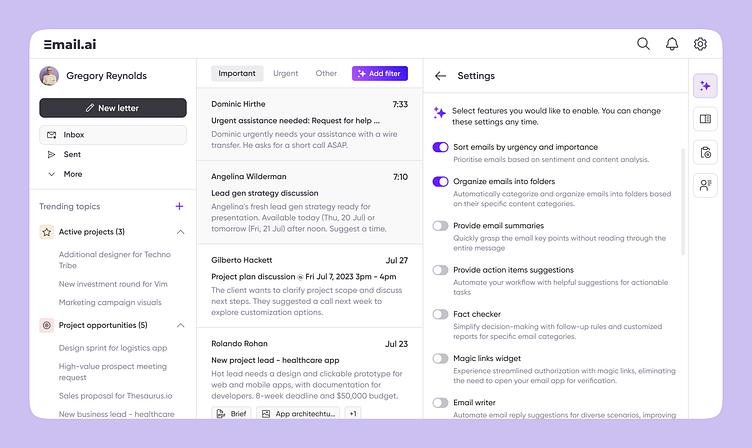
A busy inbox can become a serious productivity problem.
Important messages often get buried under newsletters, notifications, and routine requests.
AI can help organize emails by identifying their purpose and urgency.
For example:
- Customer inquiries can be labeled as sales.
- Invoices can be categorized as finance.
- Meeting requests can be marked for scheduling.
- Urgent support messages can be escalated.
- Routine messages can receive suggested replies.
The result is a more organized communication process.
4. Marketing Content and Social Media Workflows

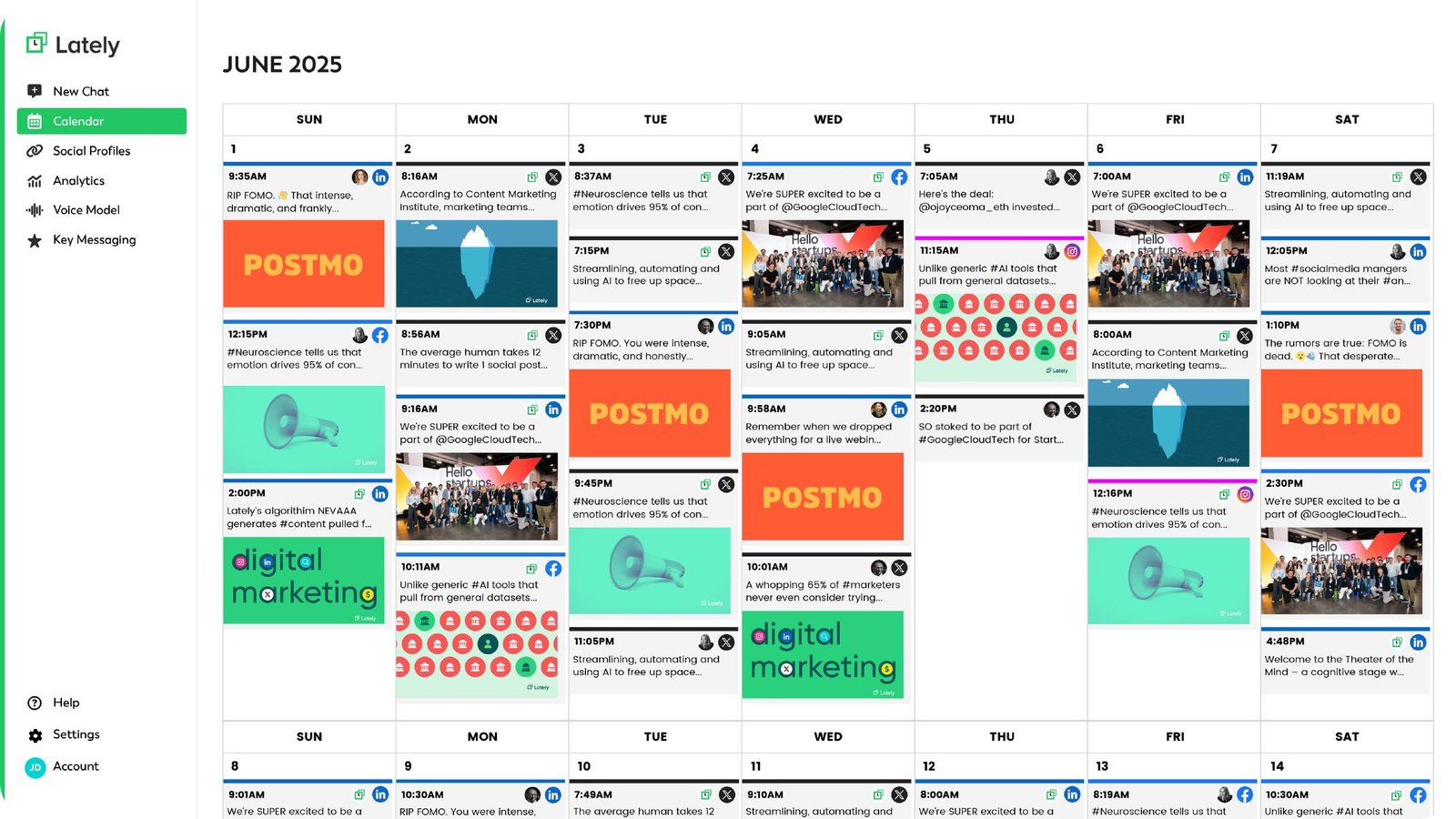
Content marketing involves more than writing a social media post.
Businesses need ideas, captions, descriptions, publishing schedules, and performance reports.
AI automation can help organize these activities.
A simple workflow might:
1. Collect content ideas from a spreadsheet.
2. Ask AI to prepare draft captions.
3. Generate variations for different platforms.
4. Save the drafts in a content calendar.
5. Notify a team member for approval.
You can also automate the distribution of approved content using supported platform integrations.
The important distinction is that automation should support content quality, not replace editorial judgment.
5. Invoice and Document Processing

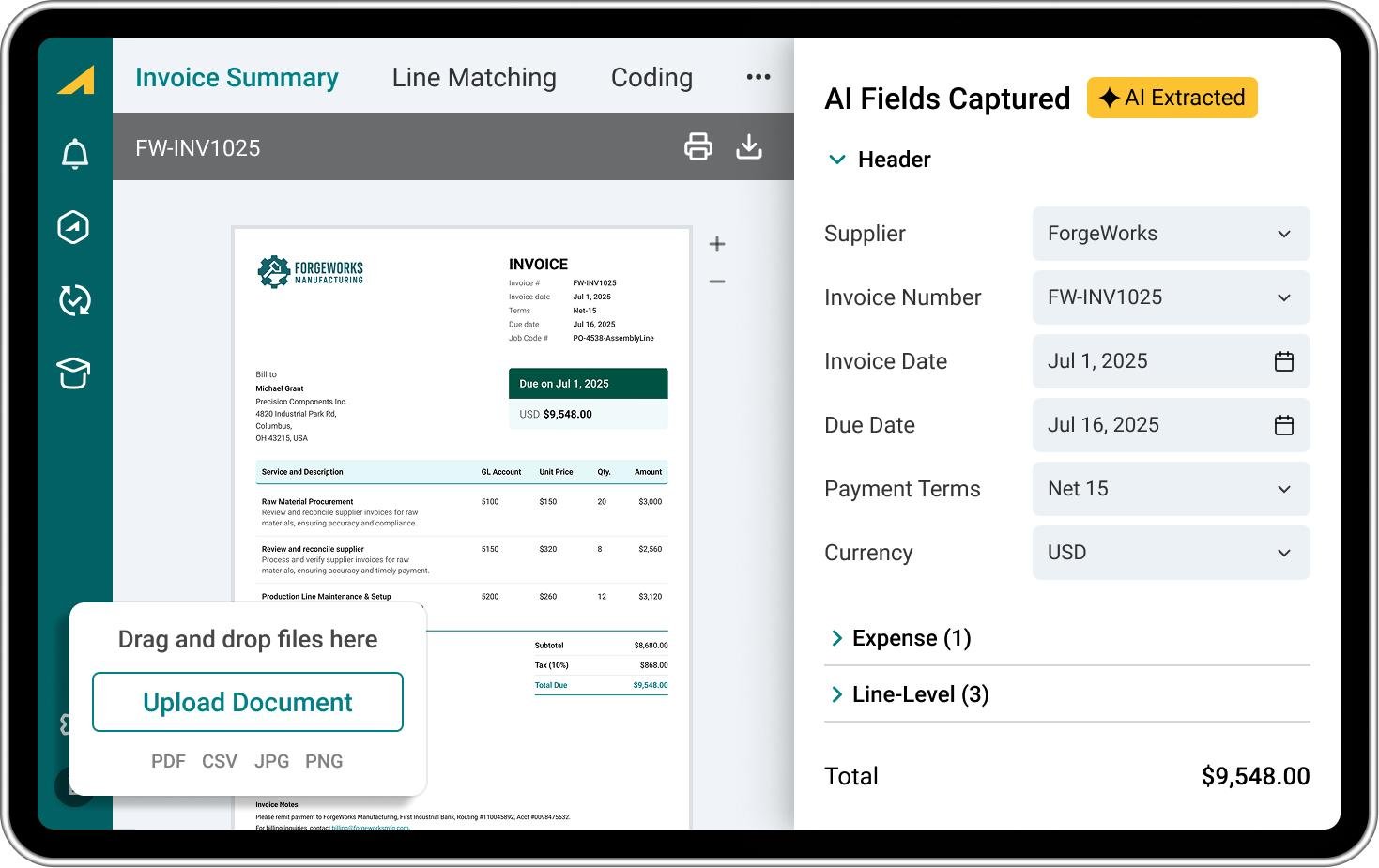
Businesses receive invoices, receipts, contracts, and other documents every day.
Manually reading and organizing every document can be time-consuming.
AI-powered document processing can extract information such as:
- Invoice number.
- Supplier name.
- Invoice date.
- Total amount.
- Payment deadline.
The extracted information can then be added to a spreadsheet or accounting workflow for review.
Always verify financial information before recording payments or making financial decisions.
6. Appointment Scheduling and Meeting Preparation


Scheduling meetings often involves several repetitive messages.
Automation can connect website booking forms, calendars, and email notifications.
For example, when someone books an appointment, the system can:
- Record the booking details.
- Check the connected scheduling system.
- Send a confirmation.
- Notify the relevant team member.
- Prepare a reminder.
AI can also summarize meeting notes and help prepare follow-up tasks.
However, calendar availability and changes should always be checked against the actual scheduling system.
7. Daily Business Reports and Performance Tracking

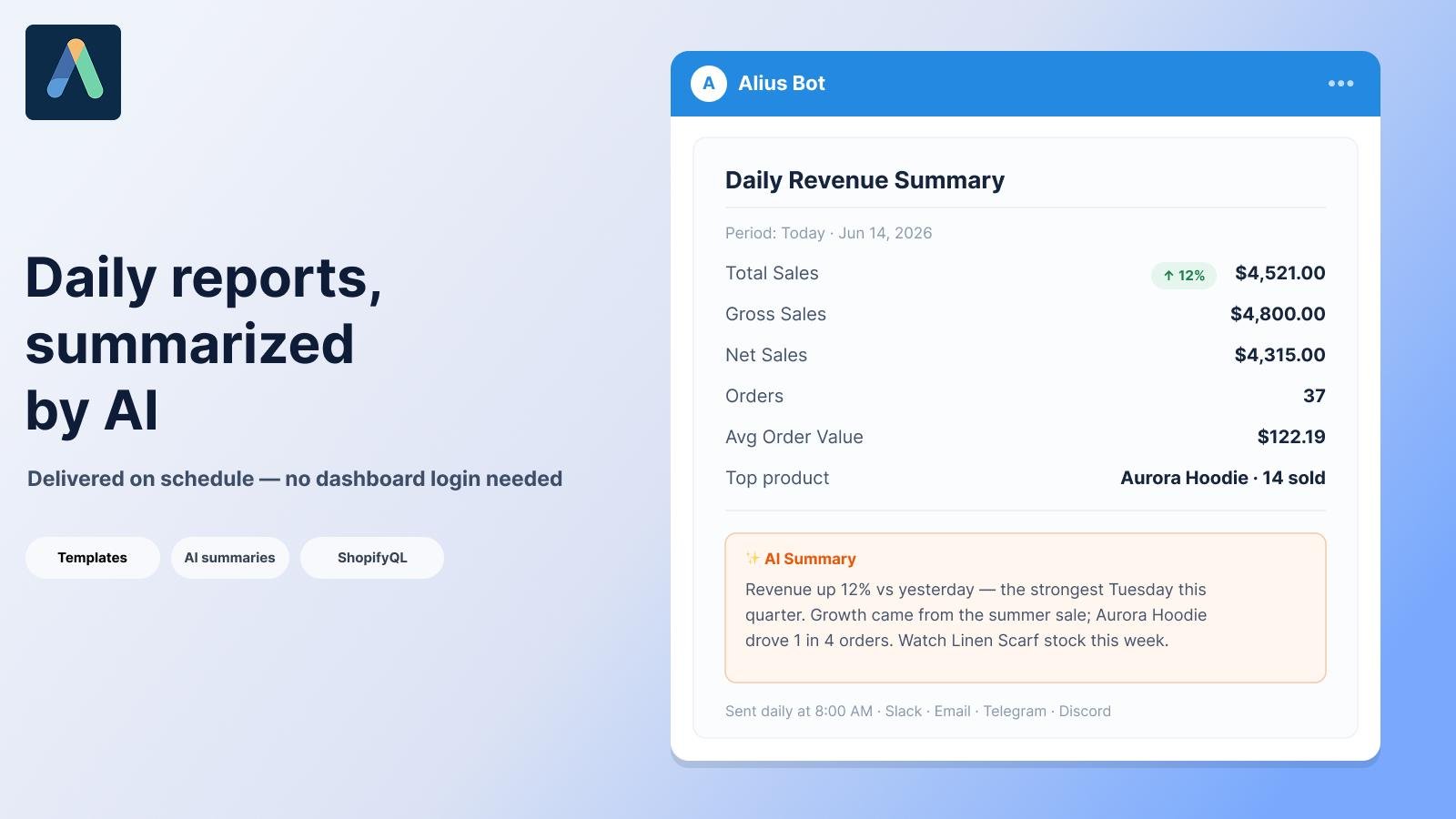
Business owners need to understand what is happening inside their businesses.
But collecting information from multiple applications can take considerable time.
An automated reporting workflow can gather selected data from connected systems, organize it, and generate a summary.
A daily report might include:
- New customer inquiries.
- Total orders received.
- Pending customer requests.
- Sales activity.
- Completed tasks.
- Important issues requiring attention.
AI can turn this information into a readable summary, helping business owners understand what needs attention.
The data should come from reliable business records, not AI-generated estimates.
6. How to Design an Automation System That Can Grow With Your Business
Building one successful workflow is exciting.
But what happens when your business starts growing?
You might need more integrations, additional team members, advanced reporting, and different approval processes.
This is why it’s important to think about the structure of your system from the beginning.
Start Small and Expand Gradually
Don’t try to automate your entire business in one weekend.
Start with a single process, test it, and improve it.
For Example

This gradual approach makes it easier to identify problems before they affect other parts of your business.
Keep Your Workflows Organized
As the number of workflows increases, organization becomes essential.
Use clear names that explain what each workflow does.
For example:
- Customer Inquiry Processing
- New Order Notification
- AI Email Classification
- Daily Sales Report
- Appointment Confirmation
Keep credentials secure, document important workflow steps, and make sure team members understand which systems they are allowed to access.
Know When to Use AI Agents
You may have heard the term *AI agents* frequently.
An AI agent is different from a simple automation rule.
A traditional workflow follows steps that you define in advance. An AI agent can use a model to decide which available action or tool to use based on the task and information it receives.
For example, a simple workflow might always send an inquiry to the sales department.
An AI agent could examine the inquiry, search an approved knowledge base, decide which tool is appropriate, and prepare a response.
However, more autonomy doesn’t automatically mean better results.
A sensible system combines fixed workflows with AI agents only where flexible reasoning is genuinely useful.
7. Common Mistakes to Avoid When Building AI Automation
AI automation can save time, but poorly designed workflows can create new problems.
Here are some mistakes worth avoiding.
Mistake 1: Automating Everything at Once
Trying to automate every business activity simultaneously can make the system difficult to understand and maintain.
**Better approach:** Start with one repetitive task and expand after successful testing.
Mistake 2: Trusting AI Without Verification
AI models can misunderstand messages, generate inaccurate information, or produce unexpected results.
Better approach: Use clear instructions, validate important outputs, and introduce human approval for high-impact decisions.
Mistake 3: Choosing Too Many Tools
Using several applications without a clear reason can increase complexity and operating costs.
Better approach: Select tools based on actual requirements. A small, reliable setup is often better than a large collection of disconnected services.
Mistake 4: Ignoring Data Privacy
Business workflows may process customer names, email addresses, financial documents, and other confidential information.
Better approach: Collect only necessary information, review each provider’s privacy and data-retention terms, restrict access, and never expose sensitive credentials in workflow instructions.
Mistake 5: Forgetting Error Handling
What happens if an application stops responding or an AI service returns an unexpected result?
Without error handling, important tasks may silently fail.
Better approach: Add error notifications, execution logs, retry rules where appropriate, and a clear process for manual recovery.
Mistake 6: Sending Every AI Response Automatically
An inaccurate email or incorrect customer promise can damage trust.
Better approach: Begin with draft generation and human approval. Automate direct sending only for tested, low-risk scenarios.
8. How Much Does It Cost to Build an AI Automation System?
One of the most common questions is whether building automation requires a large budget.
The answer depends on the number of workflows, the applications you connect, AI usage, and your hosting requirements.
You can begin with a small setup and expand when the business needs more capacity.
Here are the main cost areas to consider:
| Cost Area | What It Covers |
|---|---|
| Automation platform | Workflow creation and execution |
| AI service | Model usage and AI processing |
| Business applications | Email, CRM, forms, and storage |
| Hosting | Cloud or self-hosted infrastructure |
| Maintenance | Testing, monitoring, and improvements |
Some platforms offer free plans or trials, but limits may apply to the number of tasks, executions, features, or connected applications.
For example, n8n offers both cloud and self-hosting options, while Zapier and Make offer their own plans and usage limits. Check their official pricing pages before choosing a subscription.
How to Calculate Whether Automation Is Worth It
Instead of looking only at subscription costs, consider how much manual work the system removes.
You can use this simple formula:
Monthly Time Saved = (Minutes Saved Per Task × Monthly Tasks) ÷ 60
For example, suppose a business spends 8 minutes processing each customer inquiry and receives 150 inquiries per month.
If automation reduces the average handling time to 3 minutes:
(8 − 3) × 150 ÷ 60 = 12.5 hours
That’s 12.5 hours saved monthly.
This is an illustrative calculation, not a guaranteed result. Actual savings depend on how much review and exception handling the workflow still requires.
The real goal is not to remove every human task. It is to use people’s time more effectively.
9. Security, Privacy, and Human Control: What You Should Never Ignore
Automation makes business operations easier, but it also introduces responsibilities.
When applications share information automatically, you need to understand where that information goes, who can access it, and what happens when something goes wrong.
A well-designed AI-powered business automation system should have clear security rules.
Consider these important practices.
Protect API keys and passwords: Store credentials using the platform’s secure credential management features. Never place passwords or API keys directly inside public workflow instructions.
Limit access: Give each application and team member only the permissions they need.
Protect customer information: Avoid sending unnecessary personal or confidential information to AI services.
Keep human approval: Financial transactions, refunds, legal commitments, and sensitive customer decisions should not happen without suitable authorization.
Monitor workflow activity: Review execution logs, failed tasks, unexpected outputs, and unusual usage.
Prepare a backup process: Make sure your business can continue operating manually if an automation service becomes unavailable.
Remember, automation should make your business more reliable, not create another problem that requires constant supervision.
10. The Future of AI-Powered Business Automation
The way businesses use automation is changing.
Earlier, automation mainly focused on moving information between applications and performing predefined actions.
Today, AI can introduce language understanding, document processing, content generation, and flexible decision-making into those workflows.
The next stage is likely to involve more connected AI agents that can use business tools, retrieve information, and complete multi-step tasks within defined permissions.
Imagine a business system where:
- An AI assistant organizes new customer inquiries.
- Another workflow prepares relevant sales information.
- A support assistant retrieves answers from company documentation.
- A reporting workflow summarizes business performance.
- A human manager reviews important decisions.
These systems could make business operations more connected and efficient.
However, the future isn’t necessarily about replacing every employee with an AI agent.
It’s about combining human expertise, reliable automation, and artificial intelligence in ways that create genuine business value.
Companies that understand this difference will be better positioned to use these technologies responsibly.
Conclusion: You Don’t Need to Be a Developer to Start Automating Your Business
Building a smarter business no longer has to begin with hiring a development team or investing in complicated software.
With modern no-code platforms, you can connect applications, introduce AI into repetitive processes, and create useful workflows without writing traditional code.
The most important step is knowing what you want to automate.
Start with one repetitive activity. Choose an appropriate platform, connect the applications you already use, introduce AI where it adds value, and test the entire process before relying on it.
A well-designed AI-powered business automation system doesn’t need to be complicated to be useful.
It needs to solve a real problem, protect business information, produce reliable results, and leave important decisions in the right hands.
You don’t have to automate everything today.
Start with one task. Improve one process. Save a little time.
Then build from there.
Because sometimes, the biggest improvement in your business doesn’t come from working longer hours. It comes from finding a smarter way to get the same work done.
Frequently Asked Questions (FAQs)
1. Can I build an AI automation system without coding?
Yes. Platforms such as Zapier, Make, and n8n provide visual workflow builders that allow users to connect applications and create automation processes without writing traditional code. Some advanced integrations may still require technical configuration.
2. What is the best no-code AI automation tool for beginners?
Zapier and Make are useful starting points for beginners. Zapier focuses on connecting applications through automated workflows, while Make offers a visual approach to designing multi-step processes. The right choice depends on your requirements.
3. Can AI automation work for small businesses?
Absolutely. Small businesses can use automation for customer inquiries, lead management, email organization, appointment scheduling, document processing, and reporting.
4. Do I need an AI agent to automate business tasks?
No. Many business processes work perfectly well with traditional rule-based automation and a few AI processing steps. AI agents are more useful when a task requires flexible reasoning or choosing between different actions.
5. Can AI automation send emails automatically?
Yes. With the appropriate integrations and permissions, an automation workflow can send emails. However, it’s best to begin with AI-generated drafts and human approval before allowing automatic sending.
6. Is no-code automation completely free?
Not necessarily. Some platforms offer free plans, but advanced features, higher execution limits, AI model usage, and additional integrations may require paid subscriptions.
7. Is AI automation safe for business data?
It can be used responsibly when appropriate security measures are in place. Businesses should review provider policies, restrict access, protect credentials, minimize sensitive data sharing, and monitor automated processes.
8. How long does it take to build a business automation workflow?
A simple workflow may take a few hours to configure and test. More complicated systems involving multiple applications, AI services, permissions, and approval processes can take considerably longer.